
TrustAI for PowerPoint
The TrustAI assistant, right inside Microsoft PowerPoint.
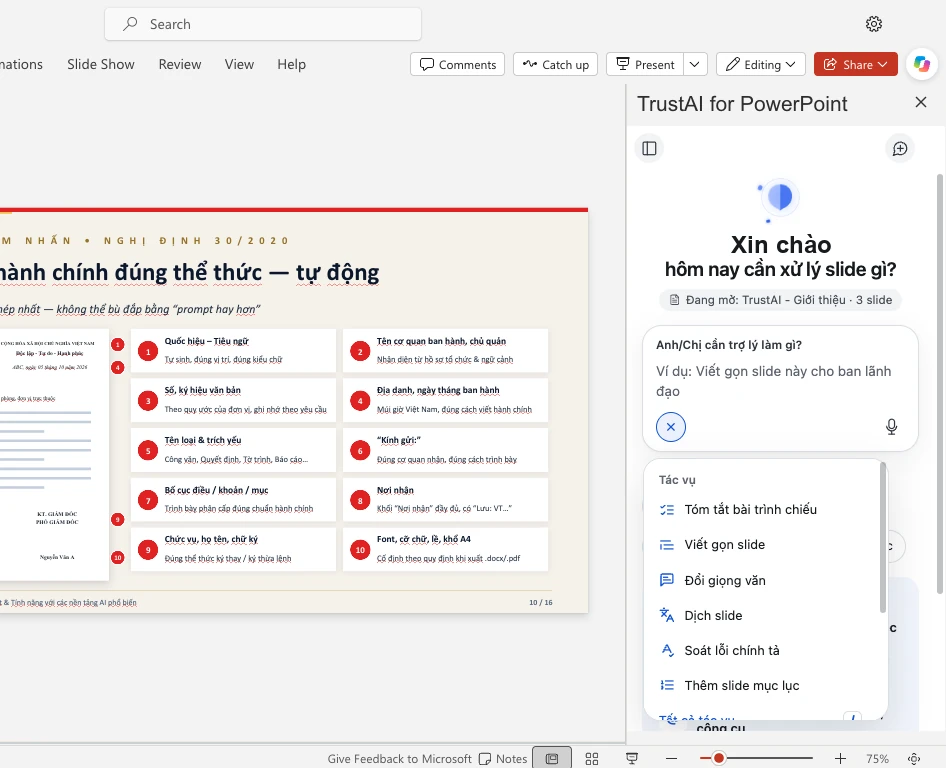
Describe what you need and TrustAI reads the open presentation and proposes changes: summarize, tighten, translate slides, add an agenda, writing to slides only once you approve. Available on Microsoft Marketplace.
What it does in PowerPoint
Summarize & proofread
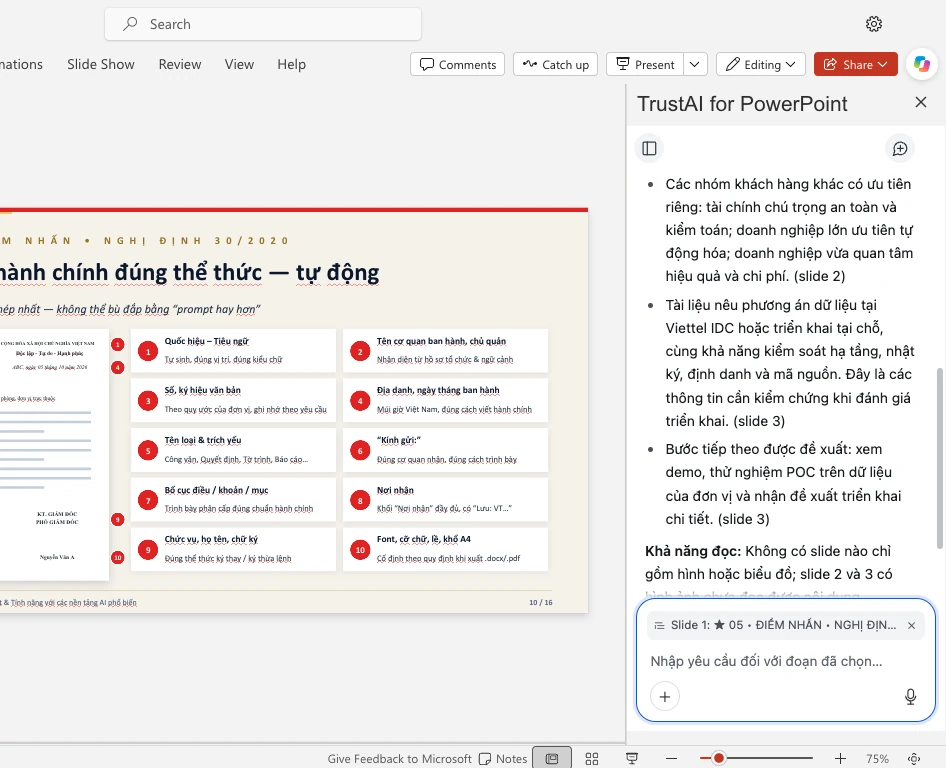
Pull out 5–8 key points with slide numbers; catch spelling, punctuation and inconsistent capitalization.
Rewrite slide text
Tighten, adjust the tone for leadership, clients or internal use, translate Vietnamese ↔ English, keeping layout and bullet levels intact.
Add slides
Build an agenda slide from section titles; put the assistant’s answer on the selected slide or a new one.
You stay in control
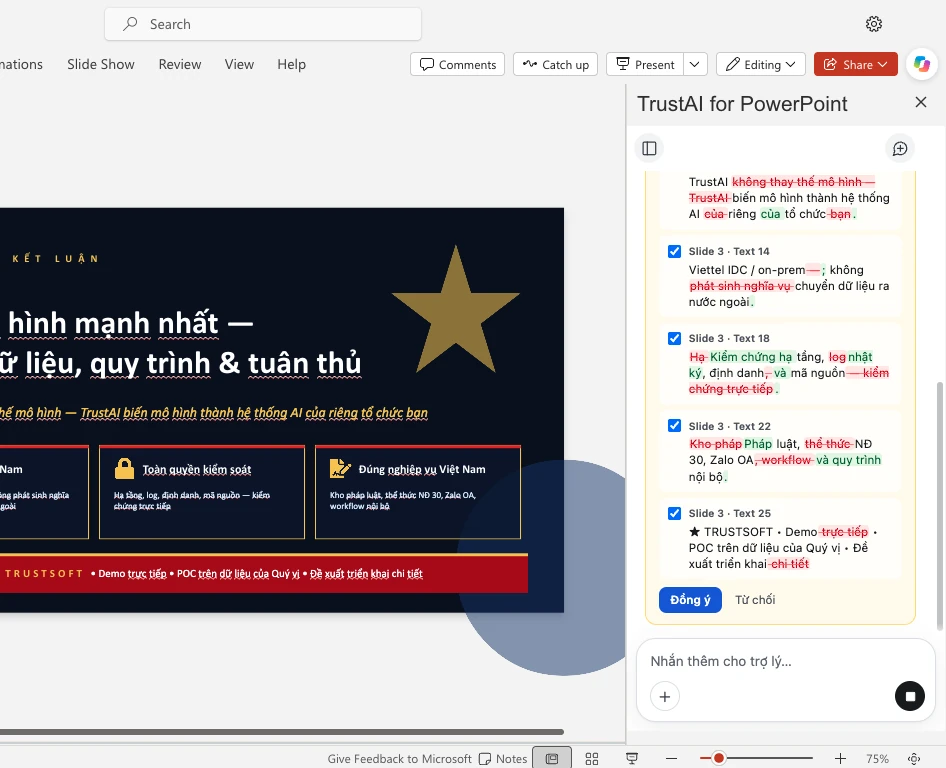
Every change shows in a confirmation card with old and new text side by side; untick what you don’t want, then accept or reject.
Search your document library
Type @ to pick your organization’s document library; answers come with source citations.
PowerPoint on web, Windows and Mac
Chat history syncs through your TrustAI account; only read/write document permission is requested.
A look inside
Ready to use it?
Install TrustAI for PowerPoint from Microsoft Marketplace and sign in with the TrustAI account your organization provides (paid plans for organizations, with a free trial).