
TrustAI for Excel
The TrustAI assistant, right inside Microsoft Excel.
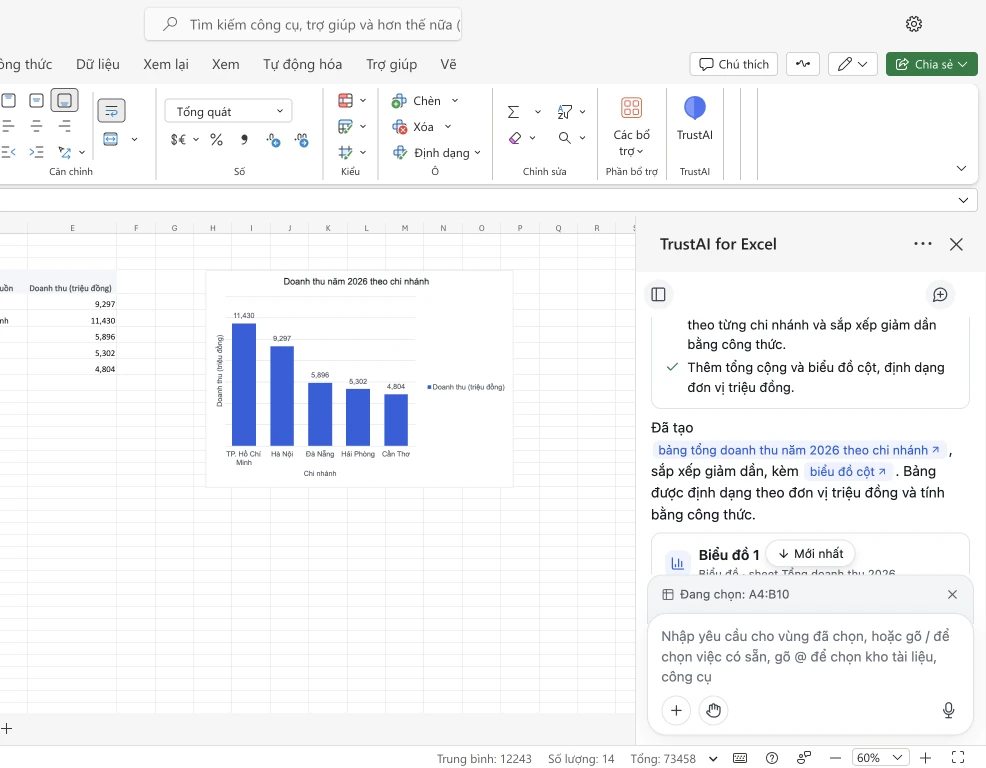
Describe what you need and TrustAI reads your spreadsheet, plans the steps and carries them out right on the sheet: analyze data, write formulas, build tables and charts, with review and undo. Available on Microsoft Marketplace.
What it does in Excel
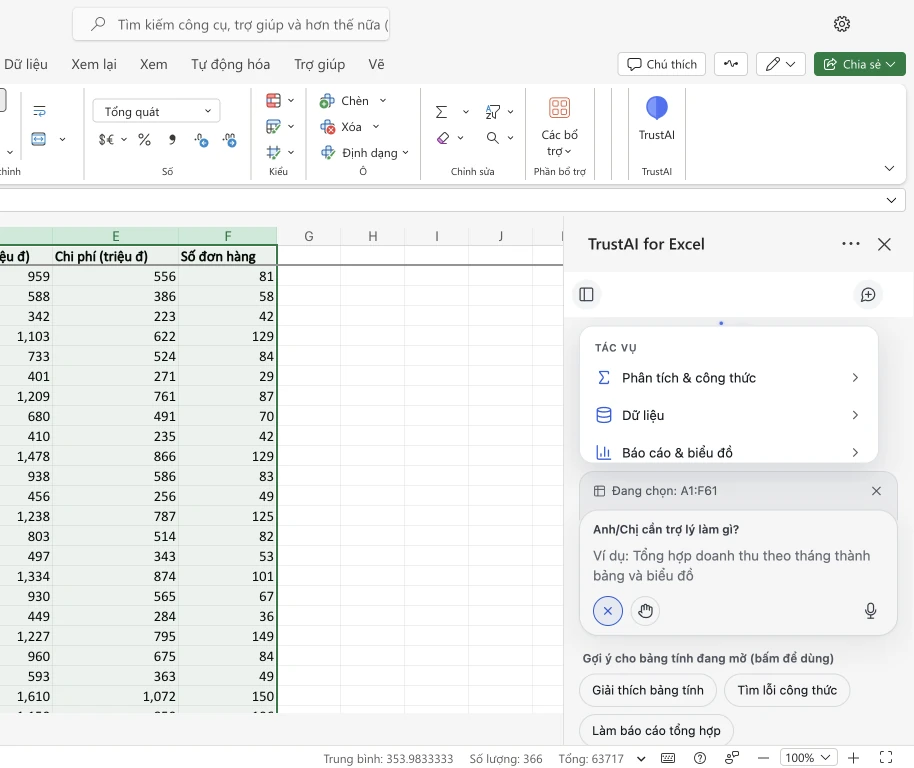
Ask about your data
Summarize, compare, spot anomalies and explain the numbers in a selection or the whole sheet.
Formulas, tables & charts
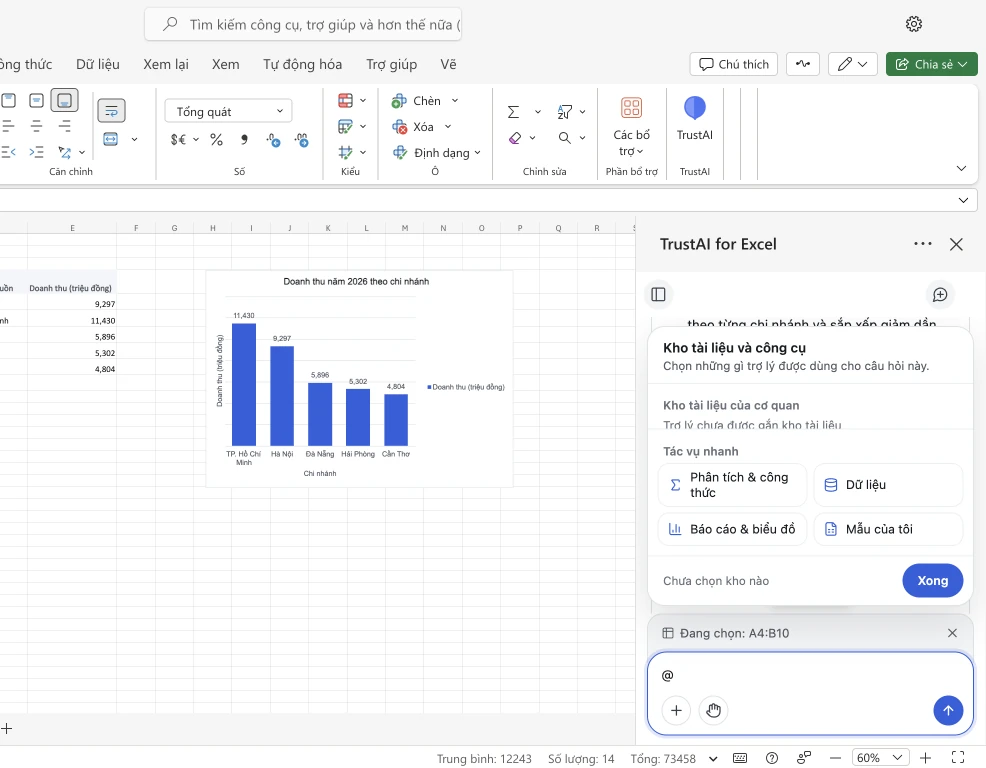
Create formulas, calculated columns, summary tables, conditional formatting and charts, and tidy up a whole sheet.
Import & clean data
Attach a CSV or XLSX file to import it into a new sheet, with Vietnamese number and date formats read correctly.
You stay in control
“Ask before acting” mode lets you review every change; risky actions such as deleting or overwriting always ask first.
Undo a whole turn
One click restores the values, formulas and formatting TrustAI changed in that turn.
Excel on web, Windows and Mac
Chat history syncs through your TrustAI account; only read/write document permission is requested.
A look inside
Ready to use it?
Install TrustAI for Excel from Microsoft Marketplace and sign in with the TrustAI account your organization provides (paid plans for organizations, with a free trial).